📡 Flight + Physics = Engagement
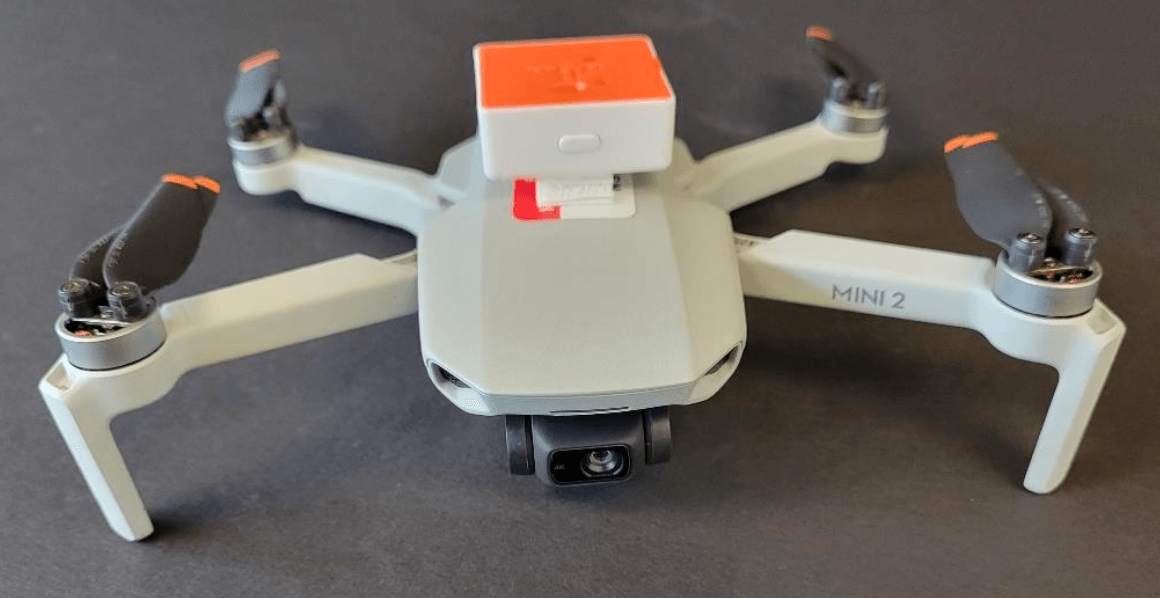
Drones aren’t just cool tech – they’re powerful teaching tools. At Nicholls State University, a group of creative physics instructors developed six drone physics experiments using the PocketLab Voyager. The result? Excited students, real data, and hands-on science that connects to the real world.
Whether you’re teaching high school or first-year college physics, these drone physics experiments for students bring STEM to life.
You can download the instructors documentation using these links. All the details you need to know to replicate this project are included.
Drones and PocketLabs Experiment Poster
Research information using PocketLab Voyager on a drone
This project and the above documents were created by Chad Young, John Dennis, Kaisa Young, & Himanshu Verma.
Let’s dive in!
📚 6 Hands-On Drone Physics Experiments for the Classroom
1. Measure Distance and Area from Aerial Images
Use a drone to take overhead photos of a soccer field or parking lot. Students calculate distances and surface areas using image scale ratios and simple geometry.

Skills: Image scaling, geometry, real-world measurement
2. Use Shadows to Estimate Height
Have students estimate the height of buildings or lampposts using shadow length from aerial drone images. They apply trigonometry and scientific reasoning—just like early astronomers.

 .
. 
Skills: Angles, sunlight, indirect measurement
3. Calculate Linear Velocity
Send the drone across a football field in a straight line. Compare timestamps from the drone’s flight log and student-taken video to determine speed.

Direct the students to convert yards to meters and plot position versus time. Finally, students can find the velocity from the slope and compare it to the velocity from the flight log. In this example, the velocity is 4.0 m/s in both figures.


Skills: Graphing, slope calculation, data analysis
4. Explore Vertical Acceleration
Attach the PocketLab Voyager to a drone and fly vertically. Students graph and interpret acceleration data and compare it to the drone’s flight records.

Skills: Acceleration, motion graphs, numerical integration
5. Investigate Circular Motion
Fly the drone in a circular path and analyze angular velocity using yaw data from the drone and the PocketLab Voyager.

Skills: Circular motion, angular speed, GPS data interpretation
6. Analyze Rotational Motion
Rotate the drone while hovering. Students record angular velocity with the Voyager and calculate total rotation via integration.

Skills: Rotational kinematics, motion sensors, critical thinking
🛠️ What You Need to Get Started
- DJI Mavic Mini-2 or any similar drone
- PocketLab Voyager or Voyager 2
- PocketLab Notebook (free cloud-based digital platform)
- Litchi App for planned drone flights
- Open space (football fields work great!)
✨ Why These Activities Work
These drone physics experiments give students a reason to get outside, collaborate, and analyze authentic data. They don’t just learn formulas—they apply them in the real world.
PocketLab Notebook makes it easy to organize data, record observations, and reflect on results—all in one place.
✅ Ready for Takeoff?
Explore more activities and bring high-flying energy to your classroom.
📍 Create your free PocketLab Notebook account
📊 Learn more about PocketLab Voyager
Connect with Us:
💬 Join the Science is Cool Teachers Group on Facebook
🎵 Listen to the Science is Cool Podcast
Make your next lesson unforgettable—because when students fly drones and do the science themselves, learning really takes off.